

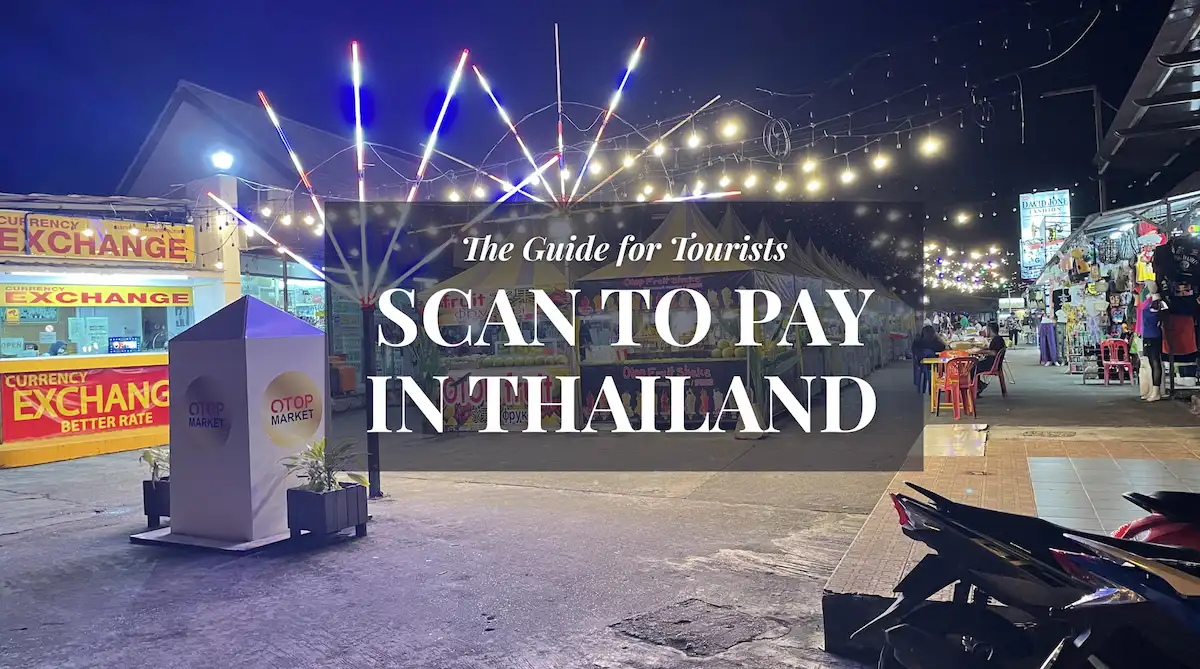
The first time I tried to pay a street food vendor in Bangkok with my phone, my screen just showed a frustrating error message. I was standing there holding up a line of hungry locals, trying to figure out why my foreign banking app wouldn’t scan the ubiquitous blue-and-white PromptPay QR code. After testing every digital wallet, workaround, and app over the past few years, I finally cracked the code.
Can tourists scan to pay in Thailand? Yes—but only if you set up the right tools. While cash is still king in rural areas, the “PromptPay” QR system is now the undisputed standard in Bangkok, Chiang Mai, and Phuket. If you don’t have a Thai bank account, here is how I actually get this done using the TrueMoney Wallet.
If you are a tourist or DTV holder looking to use PromptPay without a Thai bank account, here is the executive summary:
- App: Download TrueMoney Wallet (Often called the “Alipay of Thailand”).
- Registration: You can register with a foreign passport and a local Thai SIM (+66 number required).
- “Tourist” Catch: A passport-only registration easily allows you to pay at 7-Eleven/Lotus’s (Store Payments), but it can sometimes block you from scanning street vendor QRs (PromptPay).
- Solution: To unlock full street scanning, you may need to complete physical KYC at 7-Eleven, or use the “Moreta Pay” app as a tourist-friendly backup.
- Funding: You cannot top up with a foreign credit card. You must top up with physical cash at any 7-Eleven counter.
For the non-resident, the inability to interface with this real-time interbank system represents a significant barrier. This guide analyses the technical onboarding protocols (2026 update), how to register step-by-step, and the exact tools you need.
Interactive: Payment Logic Tree
Not sure where to start? Determine the most cost-effective payment architecture based on your specific residency and SIM status.
🇹🇭 Thai Payment Strategy Finder (2026)
Select your status to see the optimal banking/wallet setup.
Step-by-Step: How to Register TrueMoney with a Foreign Passport
Instead of wandering into a shop and hoping for the best, here is the exact sequence I use to get tourists set up on TrueMoney. To comply with the Bank of Thailand’s Anti-Money Laundering (AML) standards, you must pass verification.
- Get a Thai SIM Card: You absolutely cannot register without a +66 number to receive the OTP (One-Time Password). I highly recommend getting an Airalo eSIM before you land so your number is active immediately.
- Download TrueMoney: Download the app (it is available in most foreign App Stores). Select English as your language.
- In-App Verification: Select “Foreigner” and scan the photo page of your passport. The app will ask you to take a live selfie. For many, this is enough to unlock the basic wallet.
- The 7-Eleven KYC Bypass: If the in-app AI verification fails due to passport glare or a biometric mismatch, don’t panic. Walk into any 7-Eleven with your physical passport and ask the cashier for “TrueMoney Passport KYC” (often called a Dip-Chip). They will scan your passport barcode and activate your account manually.
Note: The 7-Eleven verification activates your identity for “Store Payments.” However, to unlock full Peer-to-Peer PromptPay Scanning (for street food vendors), the app may trigger a secondary manual review of your visa stamp. DTV holders can usually unlock full access by uploading a Thai Driving License as a secondary ID.
The Top-Up Matrix
The most common mistake I see tourists make is trying to top up TrueMoney directly with their home Visa or Mastercard. This is blocked. You must use one of the specific bridges below to load funds:
| Method | Limits & Fees |
|---|---|
| 7-Eleven Counter | Max 3,000 THB per transaction (Multiple transactions allowed). Fees: None. Just hand the cashier cash and your app barcode. |
| True Payment Kiosk | Located in True Shops / MRT stations. Limits often higher (up to 20k THB). |
| Foreign Credit Card | Direct in-app top-up fails for 99% of non-Thai issued cards. Do not rely on this. |
The Wise-to-PromptPay Bridge
A frequent question I get is: “Can’t I just use the Wise app to scan PromptPay QRs?”
While Wise has integrated “Scan to Pay” functionality for Thailand, it is structurally different from a dedicated local wallet. Wise often fails to resolve “Personal” PromptPay QRs—which is what almost all individual vendors, taxi drivers, and street stalls use. TrueMoney ensures a nearly 100% resolution rate at the point of sale.
Furthermore, you cannot send money directly from Wise to TrueMoney. The most efficient, lowest-fee strategy I use is this: Use your Wise card to withdraw Thai Baht from an ATM, and then immediately walk into a 7-Eleven to deposit that cash into your TrueMoney wallet over the counter. This bypasses hefty international card conversion fees.
TrueMoney Alternatives for Tourists (2026)
If TrueMoney’s KYC process gives you a headache, the market has finally provided some tourist-friendly alternatives.
| Platform | PromptPay Compatibility | Foreigner Accessibility | Strategy |
|---|---|---|---|
| TrueMoney | 100% (If verified) | High (Passport + Thai SIM required) | Primary Tool (Zero Fees to use) |
| Moreta Pay | 100% (Built for Tourists) | Very High (No Thai ID needed) | Best Fallback. You can link a foreign credit card! (High top-up fees, but guaranteed access). |
| Rabbit LINE Pay | Limited | Moderate (Card Linkage required) | Secondary / Best for BTS Skytrain. |
High-Value Use Case: Lion Air & Lazada
A massive, hidden advantage of TrueMoney is its virtual Mastercard, known as WeCard.
Many local Thai services—specifically Thai Lion Air baggage add-ons, Major Cineplex tickets, and Lazada Thailand—aggressively reject foreign credit cards on their payment gateways.
If you enable the “TrueMoney WeCard” inside the app, it generates a virtual Mastercard number that local gateways recognize as “Thai-issued.” I have personally saved up to 70% on baggage fees by paying online via WeCard rather than being forced to pay cash at the airport check-in counter because my foreign card was declined.
My Thailand Toolkit
Full Disclosure: This section contains affiliate links. If you use them to book, I may earn a commission at no extra cost to you. I only recommend the tools I actually use to manage my life and travel in Asia.
To make the digital setup I described above actually work, there are a few things you should have ready before you start scanning QRs on the street:
- Getting your OTPs: Airalo eSIM — You cannot register for TrueMoney without a +66 number to receive an OTP. Grab a Thai eSIM through Airalo so your number is active before you even hit immigration.
- Booking Stays: Agoda In Southeast Asia, Agoda almost always has better rates and more local inventory than Booking.com. It’s my default for finding long-stay “Workation” spots that are tech-friendly.
- Avoiding Card Rejection: Klook Thailand — If your foreign credit card is being rejected by local Thai websites (common for ferries or park entries), book through Klook instead. They take international cards flawlessly.
Frequently Asked Questions
Can tourists use PromptPay in Thailand?
Yes, but not directly through a foreign bank account. Tourists must download a local e-wallet like TrueMoney or Moreta Pay to scan PromptPay QR codes.
Do I need a Thai bank account to scan to pay?
No. While locals use their Thai banking apps, foreigners can use the TrueMoney Wallet app, which registers using your foreign passport and a local Thai SIM card.
Does Wise work for QR payments in Thailand?
Wise’s built-in QR scanner works for some corporate merchants but frequently fails on “Personal” PromptPay QRs (like street food stalls and markets). Your best strategy is to use your Wise card to withdraw cash at an ATM, then deposit that cash into your TrueMoney wallet at 7-Eleven.
How do I top up TrueMoney without a Thai bank account?
You cannot link a foreign credit card to TrueMoney. Instead, take physical cash to any 7-Eleven counter or True Shop Kiosk and ask to top up your TrueMoney wallet. There are no fees for doing this.
What happens if my Thai (+66) phone number expires?
Your TrueMoney account is cryptographically tied to your Thai phone number. If your SIM expires, you will lose access to the app and any funds inside. To recover it, you have to physically visit a TrueCorp Head Office with your passport. Always keep your SIM active!
Official Resources & Data
- Bank of Thailand: Payment Systems Overview 2026
- Related Analysis: The 1,000 Baht Trap: FX Fee Optimization
- Banking Strategy: Opening a Thai Bank Account for DTV Holders
Fiduciary Disclaimer
This technical analysis reflects the state of the Thai payment ecosystem as of 2026. Financial technology regulations, KYC requirements, and fee structures are subject to change by the Bank of Thailand and Ascend Group. This guide is for informational purposes and does not constitute financial advice. Users should perform their own due diligence regarding digital asset security.